Friday, 4 February 2011
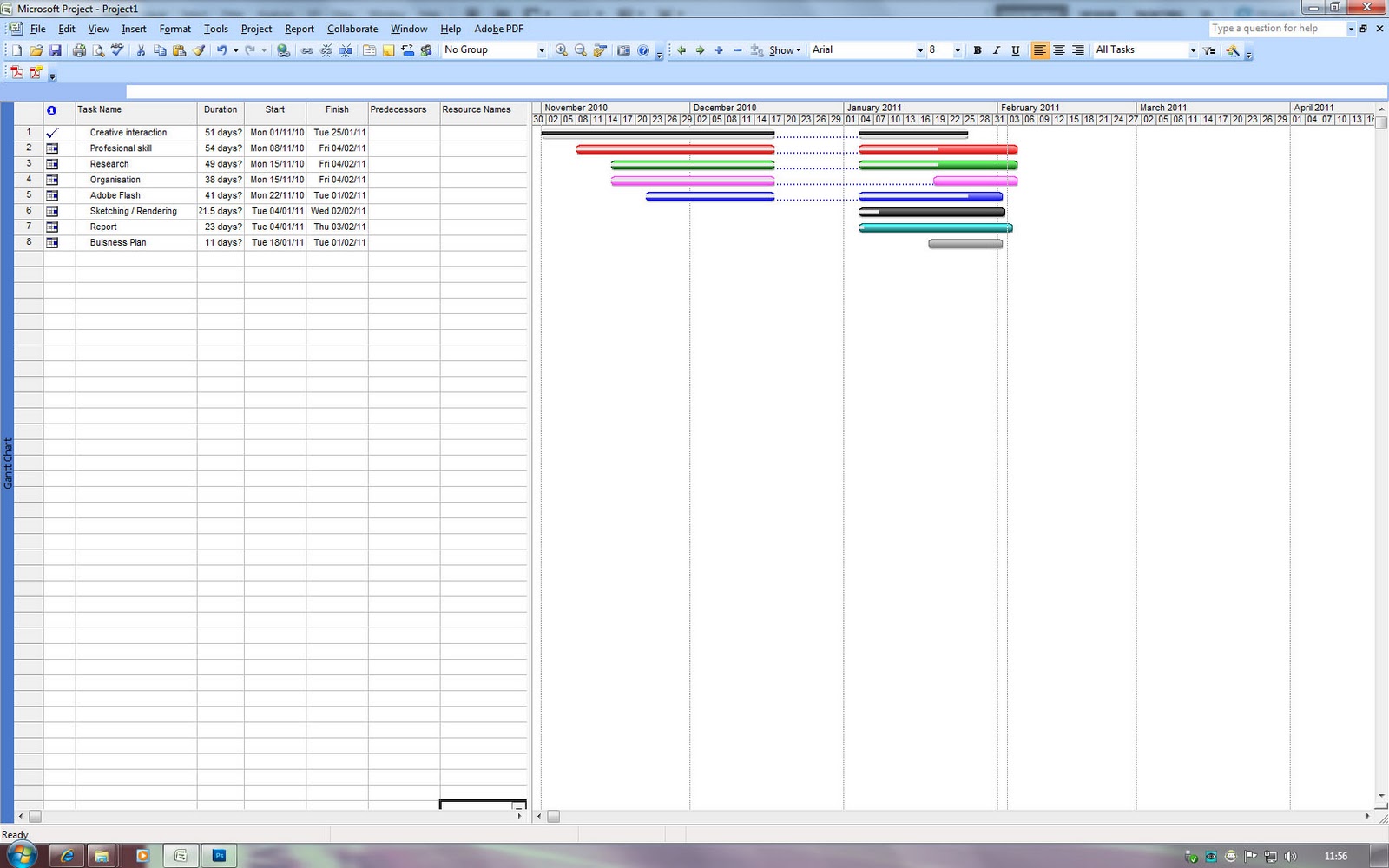
Gant chart 10
This gant chart shows that i have completed the professional skill module. as it shows i have successfully completed all the task baring one which was the sketching and rendering section. this is because i feel i havent succeded fully in this part. i feel i have neglected this section in the learning agreement and in concequence i feel i have not improved as much as i have like. but i will hopefully carry these skills on and ultimately become a better designer because of it.
Spash Page Aniamtion
This post is a video of animation i did for my possible website. it just a simple animation welcoming the visitor. i feel that animation will ultimatly be improtant when i make my site as it sets the tone to the whole website.
I have enjoyed learning flash and hope to continue the tutorials and learn more about using buttons and ultimatly creating a fully functioning website.
Ball rooling animation
after completeing the animation section on the Flash Professional CS5 Essential Training tutorial i decided to give one of my own animations ago. this is a really simple attemped.
Parallax Scrolling Animation
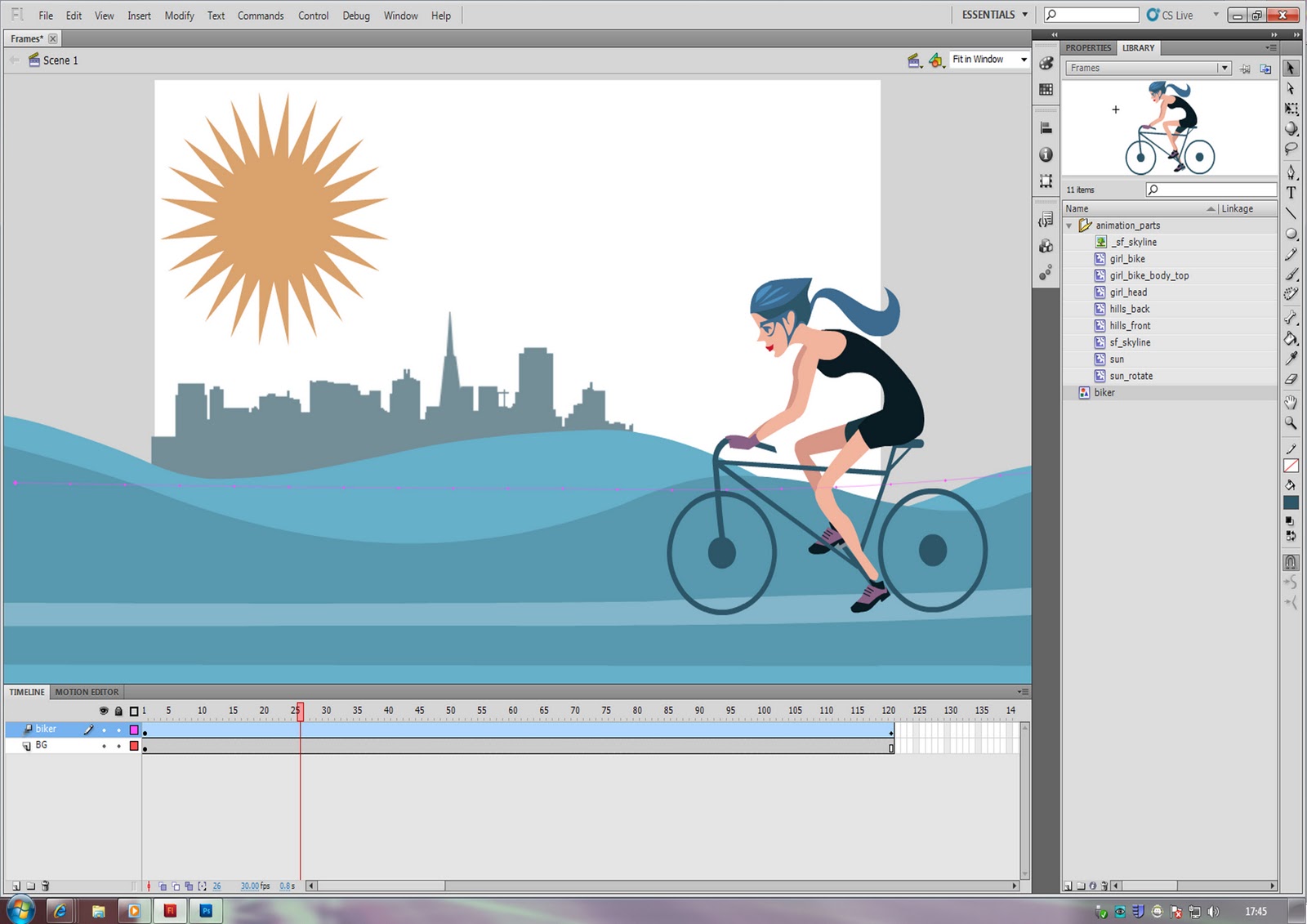
As show on a earlier post in the blog (Working With motion tweens ) the animation show a girl riding a bike across the screen. There are other affect that can be used when animating like Parallax Scrolling, this is were the back ground move and foreground stays the same.
as you can see this has a different affect to the Working With motion tweens animation. as added extra i decided to add alpha and brightness affects to give the animation something extra. This is one of the problem with flash though, that when people learn flash they try and over complicate things and loose sight to whats important. so its key to know when to stop when using flash.
Flash animation alpha and brightness
The image below shows a screen shot of a animation that as certain affects added to it. this Image show the sun raising in the background, but by adding a alpha change to the motion tween the sun fades in and out as it raises and falls.
The next images show the same animation but this time it show that as the sun raises the buildings in the background get lighter as the sun raises and darker as the sun falls.
Gant chart 8
This chart shows that i have finished the buisness plan, but at the same time shows that i really need to concentrate if i was to get everything done.
Hand render xbox pad
I really enjoyed doing this render and i felt more connected than just using a mouse and computer. i wouldnt have been able to create this without watching the IDSKETCHING: Primitive Combinations 1 and DSKETCHING.COM:Primitives II tutorials.
IDSKETCHING.COM:Primitives II
IDSKETCHING.COM:Primitives II from Industrial Design Sketching on Vimeo.
this is a continuation from the IDSKETCHING: Primitive Combinations 1 video.
IDSKETCHING: Primitive Combinations 1
IDSKETCHING: Primitive Combinations 1 from Industrial Design Sketching on Vimeo.
This in a tutorial on highling and shadows using markers which i have to put into practice when rendering by hand.
Marker tips
IDSKETCHING.COM: Surface Finish from Industrial Design Sketching on Vimeo.
I decided to look at this video as i was thinking about trying the hand render a image using marks and ink and what ome tip.
Xbox pad end render attempt
using the same techniques as hair drayer render attempt 2 i attempted the xbxo pad again.
i didnt mind the render but i needed to keep working on my line weights.
hair drayer render attempt 2
After doing the Photoshop / sketchbook pro Quickness Tips tutorial i attempted to render the hari dryer again and had suprising outsome.
Photoshop / sketchbook pro Quickness Tips
IDSKETCHING.COM: Quickness Tips from Industrial Design Sketching on Vimeo.
This is another tutorial on idsketching.com. This video give some handy tip when skeching and rending using both sketch book for sketching and photoshop for rendering.
This is my sketch that did on sketchbook using the video as a guild underlay.
And this is the final outcome. the most useful tip i learn was that to use gradiants when highling some objects.
hair drayer render attempt 1
I was challnged by Tom and Adam (product designers) to render this hair dryer image using photoshop but by only using the mouse.
i decided to take up the challange and this is the outcome.
i found that it was more difficult to render on photoshop using the mouse than the graphic tablet. but was quite happy with the out come for a first attempt.
Gant chart 6
As you can see by this chart update i have made massive strides with adobe flash. the only problem with this is that learning flash is very time consuming.
Fine-Tuning Motion tweens
As you can see by the Working With motion tweens post the video is very ridgit in the way it moves. so my fine-tuning the motion tween we can give the animation a more flowing feel. (this was another tutorial on the Flash Professional CS5 Essential Training)
The out come to the fine-tuning
as you can see the girl follow the path more and rotates a little as she moves.
Working With motion tweens
Thhis post is a step by step images of my attemps and outcome of working with motion tweens on adobe flash using the Flash Professional CS5 Essential Training as a guild.
And the following is the outcome to this pratice.
Research Outcomes
These are links to my create interaction and lefejacket research, these two pages are the outcomes of my research methords and the analysis on the imformation that i have gatherd.
Streeful Nature
Life Jacket
Subscribe to:
Posts (Atom)